
Updating hundreds of listings with Bulk Edit
Updating hundreds of listings with Bulk Edit
Bulk Edit is on the Growth plan and above.
Bulk Edit works on a computer. It isn't available on phones or small screens, so switch to a desktop browser.
Bulk Edit lets you change one listing or hundreds in a single pass, without opening each one. You select listings, make your changes, review them, then publish everything to Etsy in one go.
1. Select your listings
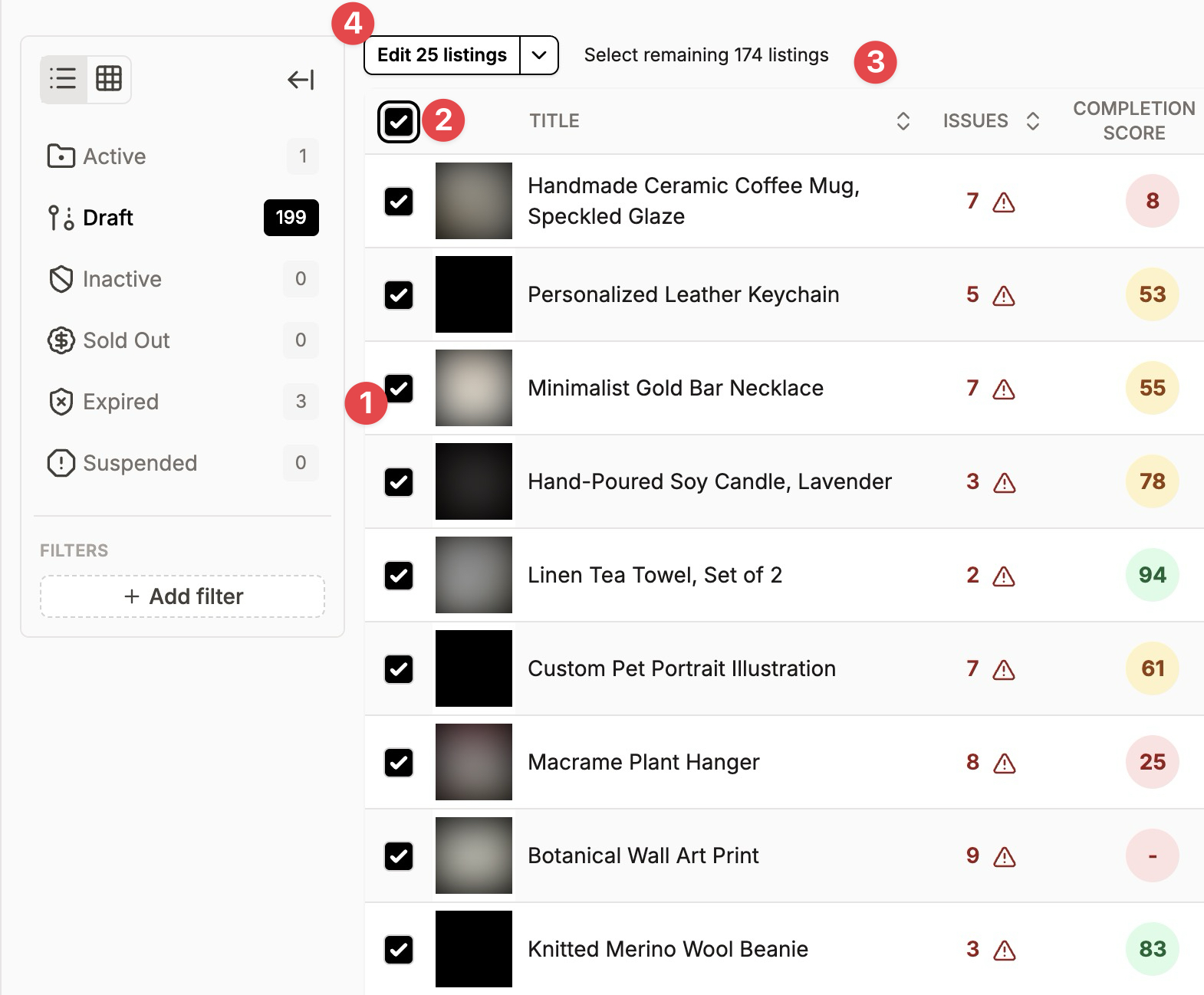
In the Listing Manager, tick the checkbox next to each listing you want to edit.
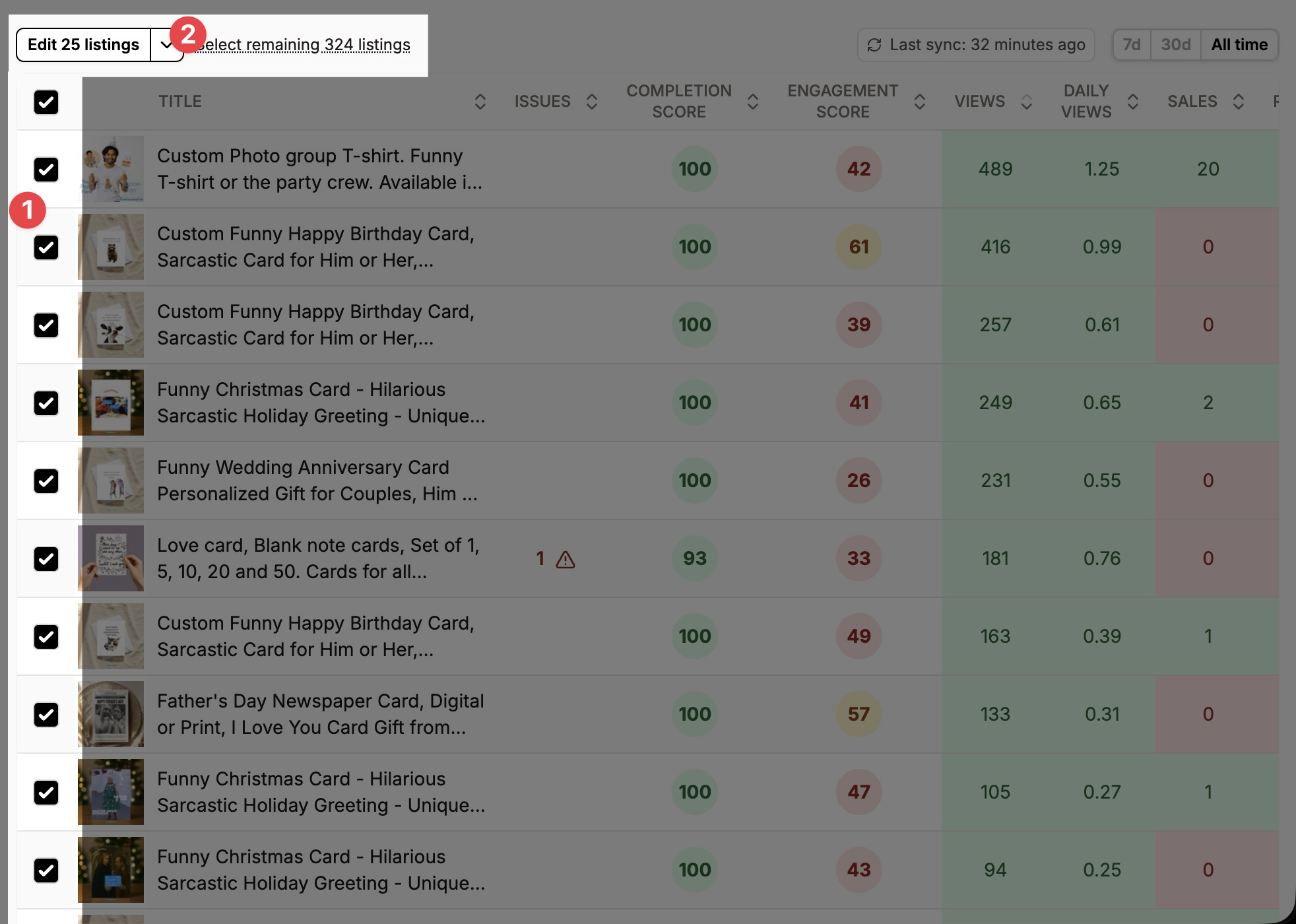
To select more than one page, use the checkbox at the top of the list to select every listing on the page. The Listing Manager shows 25 listings per page. A Select remaining N listings link then appears next to the actions button. Click it to select every listing that matches your current search and filters, not just the 25 on screen.
Tip: filter by section, tag or category first, so "select remaining" only picks the listings you mean.
When your selection is ready, click Edit N listings.
2. Make your changes
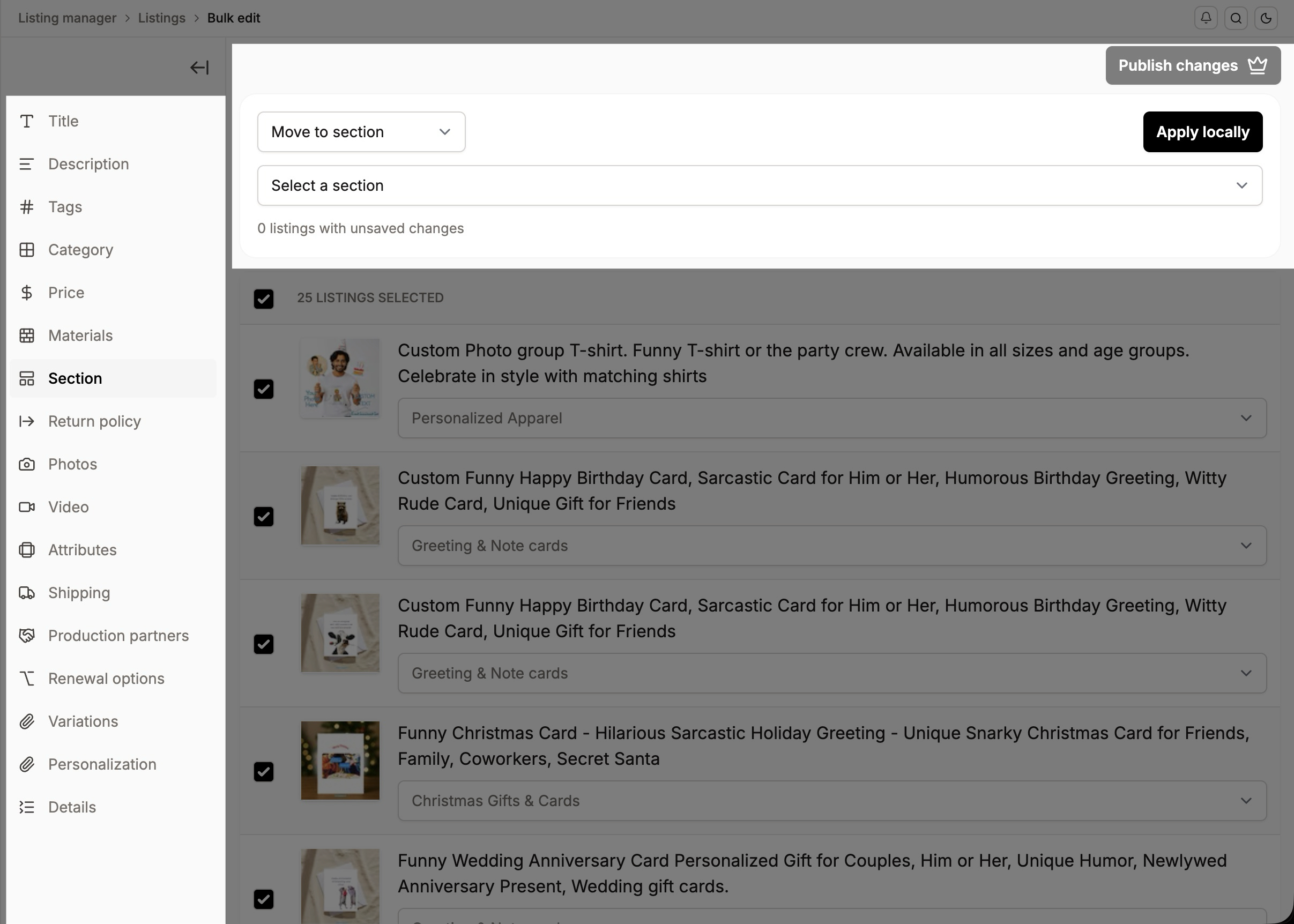
Each section applies to all the selected listings:
Title and description: replace, insert before or after, or search and replace. To remove a phrase everywhere, use search and replace and leave "Replace with" empty.
Tags and materials: add, remove, or replace.
Price: set a new price, or increase or decrease by a percentage or an amount. This works for single-price listings and for specific variation combinations.
Variations: add a new option to an existing variation (for example, add "X-Large" to Size) and choose where it goes. New variants copy the price, quantity and processing profile of the first option unless you set them. SKUs are never copied.
Photos: replace photos, or update alt text, including "Use listing title as alt text".
Videos: replace, remove, or generate videos with AI. A listing can have up to 2 videos, and the first one is the primary video buyers see.
Category and attributes, including Occasion.
Section, return policy, shipping profile, production partners and renewal options.
Profiles: attach or detach variation, personalization and details profiles.
Changes stay in Listadum until you publish, so you can work through several sections first. Each listing shows its pending changes.
3. Publish
Click Publish changes. Listadum sends your updates to Etsy and shows a summary of how many listings were updated and how many failed. Click View errors to see why a listing failed. Your selection is kept, so you can fix something and publish again.
How many listings at once?
Most sections have no hard limit.
Photos and videos are limited to 1,000 listings at a time. For a bigger shop, split the work using filters or sections.
For the smoothest results on big text or price changes, work in batches of a few hundred.
Why are some listings skipped or hidden?
Attached to a variation profile: adding a variation option skips these listings. Edit the profile instead, and every listing attached to it updates.
Attached to a details profile: these listings are hidden from the materials and details sections. Detach the profile first to edit them in bulk.
Digital listings can't get a shipping profile or a return policy.
FAQ
Can I bulk edit the Occasion attribute? Yes, in the Attributes section.
Can I use "Improve with AI" in bulk? Not from Bulk Edit. You can do it with an AI agent through our MCP integration. See Listadum MCP integration.
Was this helpful?