
Copying listings with Bulk Copy
Copying listings with Bulk Copy
Bulk Copy creates new listings from listings you already have. You can copy them back into the same shop, or into another shop you manage in Listadum. Images, videos, text, variations and details all come along, so you only change what's different instead of starting over.
Copying never touches the original listing. The copies are new listings, and nothing is saved until you choose to save them.
When to use it
New variants of a product: a new color, size or design that shares most of its listing with an existing one.
Opening a second shop: bring your best sellers into a new shop without rebuilding them by hand.
Testing: try a different title, photo order or price on a copy while the original keeps selling.
How to start a copy
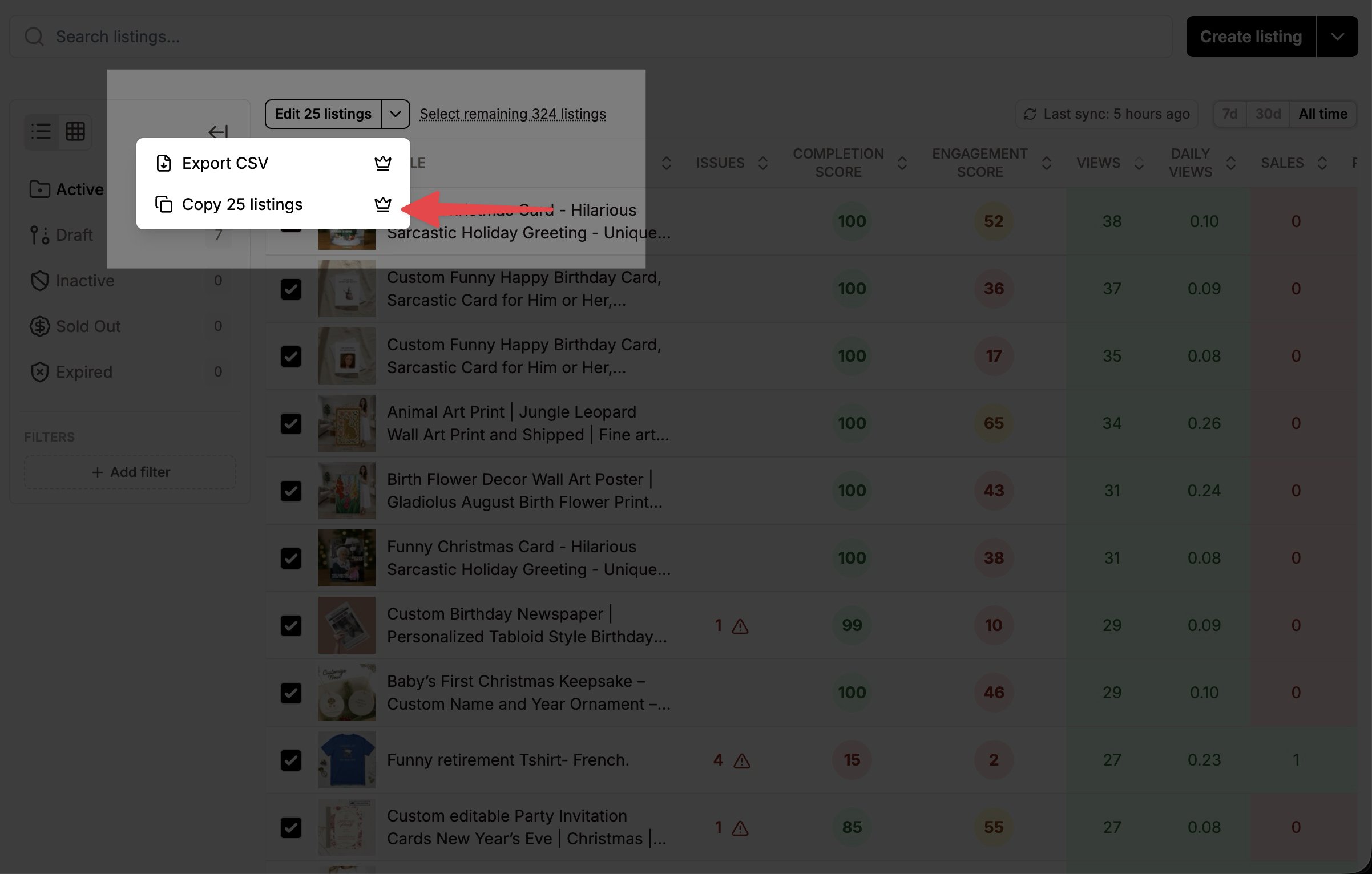
Copy several listings at once
In the Listing Manager, select the listings you want to copy.
In the bulk actions, choose Copy N listings.
Pick the shop to copy them to: your current shop, or one of your other shops.
Listadum opens Bulk Create in that shop, with one row per copied listing, ready to review.
Copy a single listing
In the Listing Manager, use Copy listing on the listing's row, or
In the Listing Editor, open the Actions section and choose Copy listing.
If you have only one shop, Listadum opens the create listing form straight away, filled in with the listing's content. If you have several shops, you first pick where the copy should go.
Limits
You can copy up to 25 listings at a time. For more, copy them in several batches.
You can copy to any shop you have full access to in Listadum.
Only the shop you copy to needs the Growth plan. The shop you copy from can stay on Free.
Both shops must be on the same Listadum account. This works even if the two Etsy shops have different owners. If the shop you want isn't in the list, see two accounts and merging them.
What gets copied
Title, description and tags
Price, quantity and SKU
Images (with their alt text) and videos, in the same order
Category and its attributes
Variations, with their prices, quantities and SKUs
Personalization settings and questions
Who made it, when it was made, materials, and whether it's a supply
Physical or digital type, auto-renew, and package weight and dimensions
Images and videos are reused from the original listing, so nothing is uploaded again.
Copying within the same shop
Everything above is copied, plus your shop-specific settings: shop section, shipping profile, return policy, processing profile, production partners, and any variation, details or personalization profile the listing uses. The copy is an exact starting point.
Copying to another shop
Some settings only exist in the shop they were created in, so they can't follow the listing. When you copy to a different shop, these are left empty:
Production partners
Shop section
Variation profile
Details profile
Personalization profile
Shipping profile
Return policy
Processing profile
A notice at the top of the screen reminds you which settings weren't copied. Set them for the new shop before you publish. Physical listings need a shipping profile on Etsy.
Tip: profiles can be copied to another shop too. Copy your variation, details or personalization profiles to the new shop first, then attach them to the copied listings, so later changes update every linked listing in that shop. See Sharing variations and details with Profiles.
What isn't copied
Digital download files. Upload them again on the copy.
Sales, reviews, favorites and stats. These belong to the original listing on Etsy. The copy starts fresh.
Review and save your copies
Copied listings open in Bulk Create, where every Listadum tool is available on each row: completion scores, AI helpers for titles and descriptions, keyword tools, and Templates to apply the same change to many copies at once.
When you're ready, choose one of:
Save as drafts to finish them later. Drafts aren't visible to buyers.
Publish to make them live on Etsy right away.
Schedule to publish them at a later date.
Etsy charges its usual $0.20 listing fee for each listing when it's published.
Tip: when you copy within the same shop, change the title, tags and main photo of each copy so it doesn't compete with the original for the same searches.
Frequently asked questions
Does copying change my original listing?
No. The original stays exactly as it is.
Why can't I select more than 25 listings?
Bulk Copy is limited to 25 listings per batch for now. Copy larger sets in several batches.
Why are my shipping profile and return policy empty?
You copied to a different shop. Those settings belong to the original shop, so pick the new shop's own ones.
Why is a shop missing from the list?
You can only copy to shops you have full access to in Listadum.
Can I try it before subscribing?
Yes. You can open and review the copies on any plan. You'll be asked to upgrade when you save, publish or schedule them.
Bulk Copy is available on the Growth plan and above.
Was this helpful?